> ## Documentation Index
> Fetch the complete documentation index at: https://docs.noimosai.com/llms.txt
> Use this file to discover all available pages before exploring further.
# Team Basics
> Understand what a Team controls in NoimosAI.
## Overview
A Team is the top-level collaboration scope in NoimosAI. It is where you manage members, permissions, integrations, and core Team-level settings.
## Where To Find Team Settings
Use the following path to open this area.
1. Select your Team from the left sidebar.
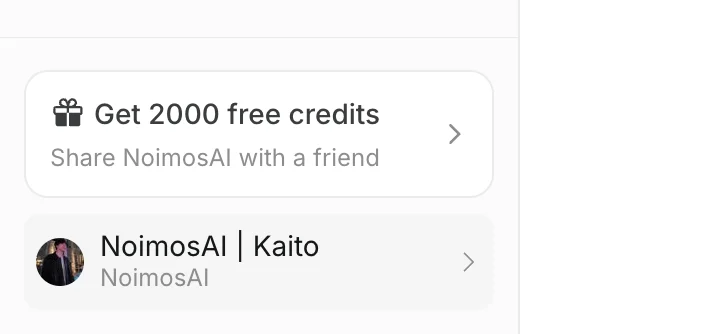 2. Open `Team Settings`.
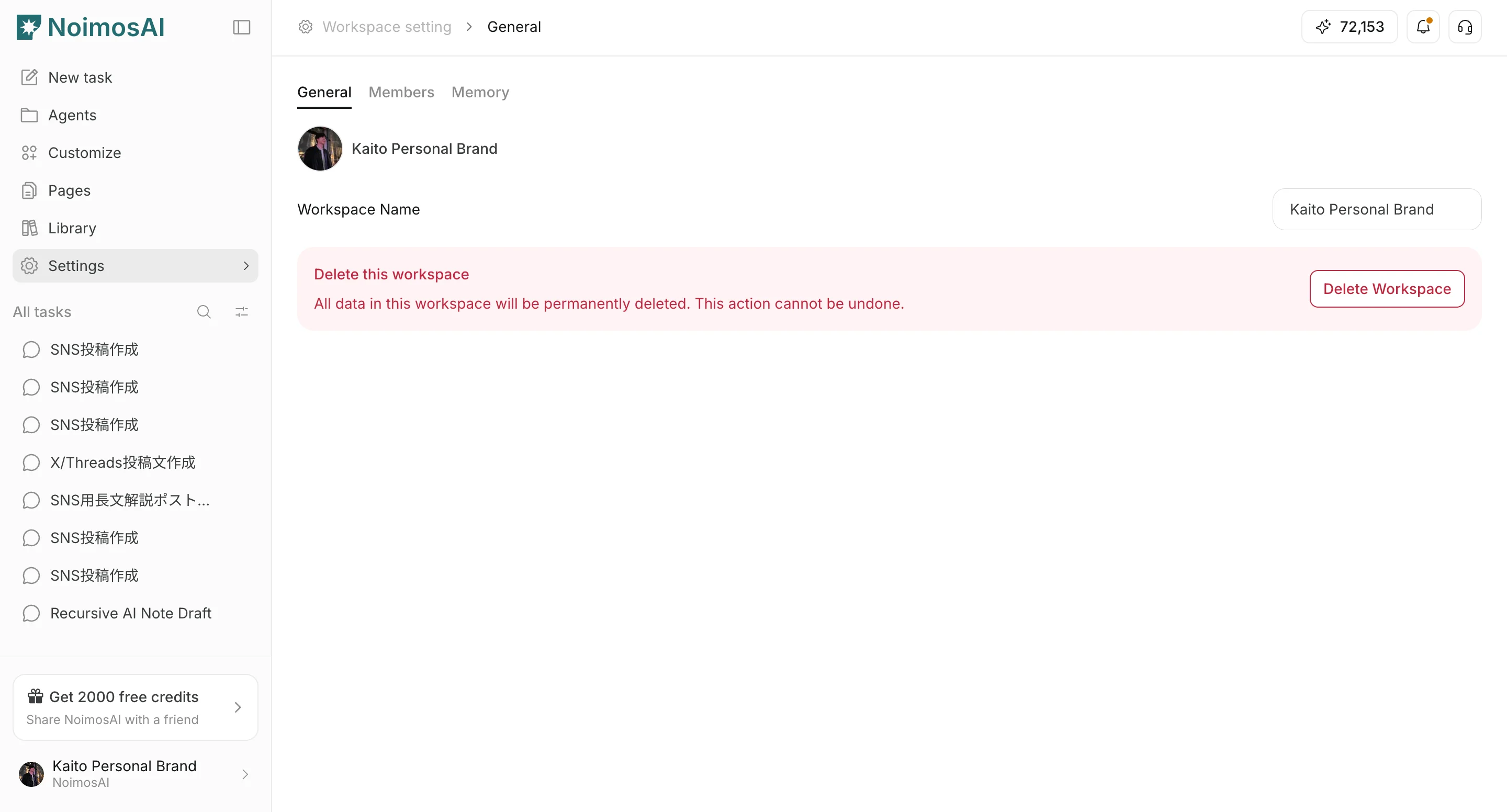
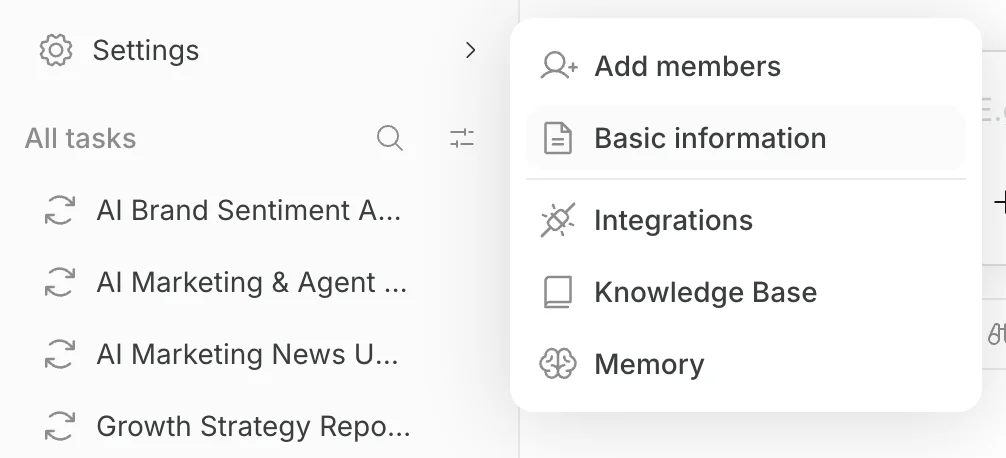 3. Use these tabs:
* `General`
* `Members`
* `Integrations`
* `Workspaces`
3. Use these tabs:
* `General`
* `Members`
* `Integrations`
* `Workspaces`
 ## What Team Controls
Use this section to understand what a team controls and what to verify before moving to the next step.
1. Team members and roles (`Admin`, `Member`, `Guest`).
2. Team-level app accounts and integration settings.
3. Team identity settings (name and profile image).
4. Shared billing and plan limits for the Team.
## Team Role Definitions
Use this section to understand each Team role before inviting or changing members.
* `Admin`: full Team access, including billing, member management, and Workspace management.
* `Member`: can invite members and create Workspaces, but cannot access billing.
* `Guest`: can access only assigned Workspaces, and cannot access billing, invite members, or create Workspaces.
* If someone is invited as Workspace `Editor` or `Viewer`, they appear as `Guest` at Team level.
## Team Unit Guidance
Use this section to understand team unit guidance and what to confirm while completing this part.
* Treat Team as the operator organization (for example, your internal marketing or agency operation unit).
* Add the people who operate NoimosAI to the Team first.
* Then split execution into Workspaces by brand, creator, or product/service context.
## Related
Use these related pages for deeper guidance.
* [Add and Edit Team Members](/help-center/team/add-and-edit-team-members)
* [Change Team Name and Profile Image](/help-center/team/change-team-name-and-profile-image)
* [Team App Integrations](/help-center/team/team-app-integrations)
* [Data Control](/help-center/team/data-control)
* [Leave or Delete a Team](/help-center/team/leave-or-delete-a-team)
## What Team Controls
Use this section to understand what a team controls and what to verify before moving to the next step.
1. Team members and roles (`Admin`, `Member`, `Guest`).
2. Team-level app accounts and integration settings.
3. Team identity settings (name and profile image).
4. Shared billing and plan limits for the Team.
## Team Role Definitions
Use this section to understand each Team role before inviting or changing members.
* `Admin`: full Team access, including billing, member management, and Workspace management.
* `Member`: can invite members and create Workspaces, but cannot access billing.
* `Guest`: can access only assigned Workspaces, and cannot access billing, invite members, or create Workspaces.
* If someone is invited as Workspace `Editor` or `Viewer`, they appear as `Guest` at Team level.
## Team Unit Guidance
Use this section to understand team unit guidance and what to confirm while completing this part.
* Treat Team as the operator organization (for example, your internal marketing or agency operation unit).
* Add the people who operate NoimosAI to the Team first.
* Then split execution into Workspaces by brand, creator, or product/service context.
## Related
Use these related pages for deeper guidance.
* [Add and Edit Team Members](/help-center/team/add-and-edit-team-members)
* [Change Team Name and Profile Image](/help-center/team/change-team-name-and-profile-image)
* [Team App Integrations](/help-center/team/team-app-integrations)
* [Data Control](/help-center/team/data-control)
* [Leave or Delete a Team](/help-center/team/leave-or-delete-a-team)