

Overview
The NoimosAI CLI (@agos-labs/noimosai-cli) lets you interact with your NoimosAI workspace from the command line. Chat with the NoimosAI agent for marketing analysis, content generation, and SEO work, draft and publish both short-form social posts and long-form articles (WordPress, note) across connected platforms, and inspect workspaces and integrations—without leaving your terminal.
The CLI is published on npm as @agos-labs/noimosai-cli.
Features
The CLI covers chat, publishing, and workspace management, and is designed to be driven by both humans and AI agents.- Chat — Interactive or one-shot conversations with the NoimosAI agent (marketing analysis, content generation, SEO, and more).
- Publish — Push generated content to your connected accounts. Both short-form social posts and long-form articles (WordPress, note) are supported.
- Workspace / Integration management — Inspect workspaces and connected integrations from the CLI.
- Scriptable — All commands accept flags (no required interactive prompts) and support
--output jsonfor machine-readable results.
Common Commands
You can get a feel for what the CLI does before installing. The block below covers the commands most users reach for; full options for each are in the Commands section.Supported Publishing Platforms
Both short-form social posts and long-form articles can be published from a singleposts.json file. The platform field in each post entry determines the destination, and the same noimosai post command handles all of them.
Requirements
Confirm the following before installing.- Node.js
>= 18 - An active NoimosAI account (sign up)
Installation
Install globally with your preferred package manager. After installation, thenoimosai command becomes available in your shell.
Quick Start
The fastest path is to log in, then start chatting with the NoimosAI agent.1. Log in
- Browser login (OAuth) — Opens your browser to complete authentication.
- API key — Paste an API key generated from your team settings on NoimosAI. To create one, open NoimosAI, go to your team settings, and copy a key from the API tab.
2. Start chatting
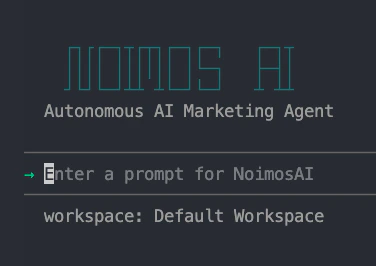
3. Discover all commands
--help on any command to see every available option in the version you have installed.
Commands
Runnoimosai <command> --help for full options on any command.
Authentication
Use these commands to sign in or remove stored credentials.Chat
Chat is the most common command and supports both interactive and one-shot use.Publishing
Usenoimosai post to publish or schedule posts from a posts.json file.
posts.json is normally produced by the chat session (the agent emits it for you). When hand-crafting it, the schema is:
dataKey field is what actually routes a post to its destination. Use the value from this table:
Workspace and Integrations
Use these commands to inspect what is available to the current account.Configuration
Manage local CLI configuration with the following commands.Global Options
The following flags are available on every command.-o, --output <text\|json>— Output format (defaulttext).jsonis intended for scripts and AI agents.--help— Available on every command and subcommand.
CI / Agent Usage
The CLI is designed to be driven by both humans and AI agents. The patterns below show recommended headless and idempotent flows.Troubleshooting
The following are the most common issues users hit.Cannot find package 'zod'— your global install is older than0.0.2. Reinstall withnpm i -g @agos-labs/noimosai-cli.Not authenticated— runnoimosai loginagain.Workspace ID not configured— re-runnoimosai login, or pass-w <workspace-id>per command.