- Choose social media platforms and define your content strategy
- Plan posts based on your expertise and client results
- Create and publish social media content
- Improve based on performance
Understand social media fundamentals
Social media lets you share expertise with prospective clients before they begin looking for a provider. It also gives clients who are actively evaluating providers evidence of your work quality, approach, and results. Choose platforms based on where your target clients look for information and which formats you can produce consistently.1. Choose social media platforms and define your content strategy
Do not start on every social media platform at once. Prioritize platforms based on where your target customers get information, the formats that best convey your expertise, and the assets you can produce.| Social media platform | Main characteristics and formats | Uses for client and professional services |
|---|---|---|
| X | Real-time text, images, video | Short insights, industry changes, articles, events, production process |
| Pages, images, video, links, communities | Case studies, local activities, events, long-term relationship building | |
| Images, multi-photo posts, Reels, Stories | Work samples, before-and-after, step-by-step, team members, behind the scenes | |
| Threads | Conversation-driven, text-focused topics | Short advice, ways of working, article summaries, conversations |
| TikTok | Short-form video discovered via recommendations | Short explanations, process demos, common misconceptions, improvement examples |
| YouTube | Videos and Shorts discoverable via search and recommendations | In-depth explanations, seminars, case studies, workflows, Q&A |
| Pins for searching and saving images and videos | Work examples, designs, checklists, procedures, reference materials | |
| LinkedIn (Personal) | Posts, video, and documents focused on work and expertise | Professional opinions, research, case studies, staff experience, events |
| Mastodon | Public conversations organized by interest-based communities | Technical insights, open source, conversations with specialist communities |
| Bluesky | Real-time, text-centered public conversations | Short insights, articles, industry perspectives, conversations among staff |
 X
X Facebook
 Instagram
 Threads
 TikTok
 YouTube
 Pinterest
 LinkedIn (Personal)
 Mastodon
 Bluesky
2. Plan posts from expertise and client results
Plan posts not only about external topics but also based on your actual services and work.- Questions and answers you repeatedly receive from clients
- Conditions, preparations, and how to choose that clients should know before requesting work
- Challenges encountered, actions taken, and outcomes in past projects and case studies
- Deliverables, research, templates, and checklists that can be published
- How support is carried out, decisions that maintain quality, and the expertise of team members
- New services, scope of coverage, articles, and events
3. Create and publish social media content
Set one objective per theme and create content tailored to each social media platform’s format. Open by stating the target customer’s problem or the outcome they can expect, then follow with concrete examples or step-by-step instructions. Close by directing readers to the next action, such as an article, case study, service, or consultation. Before publishing AI-generated content, verify professional accuracy, any customer-specific information, compliance with qualifications and regulations, and the usage terms for images and audio. When adapting the same campaign across multiple social media platforms, do not simply copy the same copy verbatim. For short-form platforms, focus on a single decision point and a concrete example; for image-focused platforms, visualize deliverables and processes; for video, state the target customer and the expected outcome at the start. Deliver one piece of expert knowledge in the post, then guide those who need more decision-making material to an article, case study, or service page.4. Improve based on performance
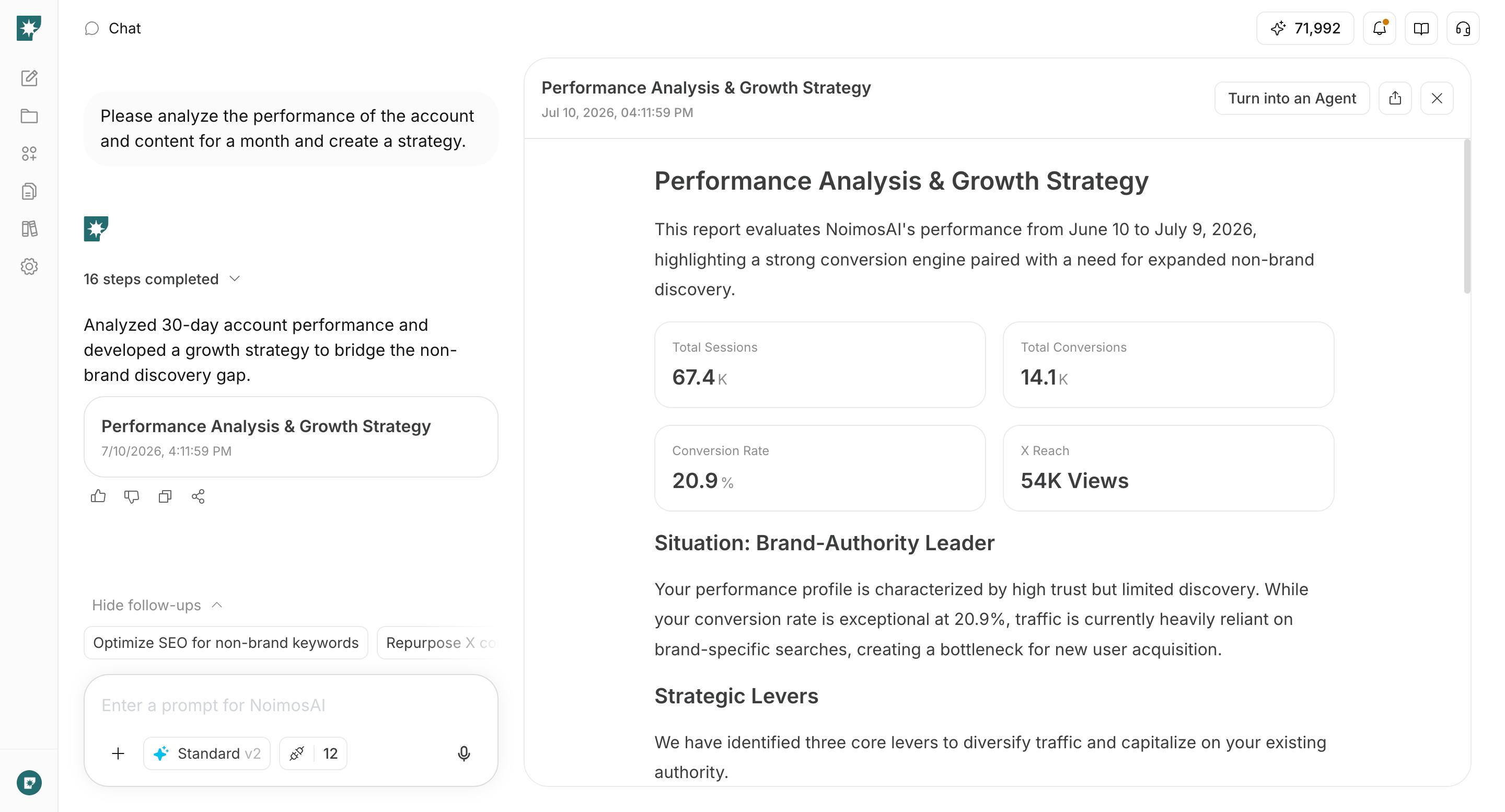
Identify high-performing posts within each social media platform and compare their themes, formats, openings, concrete examples, and calls to action. Do not directly compare engagement rates that are defined differently across platforms.
Interpret these metrics in sequence. If a post is seen but not saved or shared, revisit whether the expertise is concrete and useful to the target client. If people read or save it but do not visit the profile or service page, make the next action more relevant to the post. If visits increase without qualified inquiries, review the destination page’s audience, scope, evidence, and consultation details.
Social media apps you can connect
NoimosAI connects to the social media platforms you use for composing, publishing, and analyzing posts. Connect only the social media platforms you will use.X: Use for planning, publishing, and analyzing posts, published conversations, reactions, and account performance.
Facebook: Use for publishing and analyzing Facebook Page posts, comments, and Page performance.
Instagram: Use for creating, publishing, and analyzing posts, images, videos, comments, and account performance.
Threads: Use for planning, publishing, and analyzing posts, published conversations, and reactions.
TikTok: Use for creating, publishing, and analyzing videos, comments, and account performance.
YouTube: Use for planning, preparing for publishing, and analyzing videos, Shorts, comments, and channel performance.
Pinterest: Use for creating, publishing, and analyzing Pins, saves, and clicks performance.
LinkedIn (Personal): Use personal profile posts and performance for publishing and analyzing professional content.
Mastodon: Use for publishing and analyzing posts and reactions for community audiences.
Bluesky: Use for planning, publishing, and analyzing posts, published conversations, and reactions.

Google Analytics: Use to check website visits from social media platforms and how they progress toward inquiries or contact conversions.
NoimosAI recommends an Instagram login that does not require a Facebook Page or permission settings. Only connect an Instagram Business account linked to a Facebook Page via Facebook if you need hashtag searches, fetching data from other professional accounts, or product-tagged posts. Check connection requirements and feature differences at Instagram.
Manage social media with NoimosAI
Decide your content strategy, create and publish content based on real expertise and client results, and improve results. For instructions on entering a prompt in chat, see Enter your own prompt.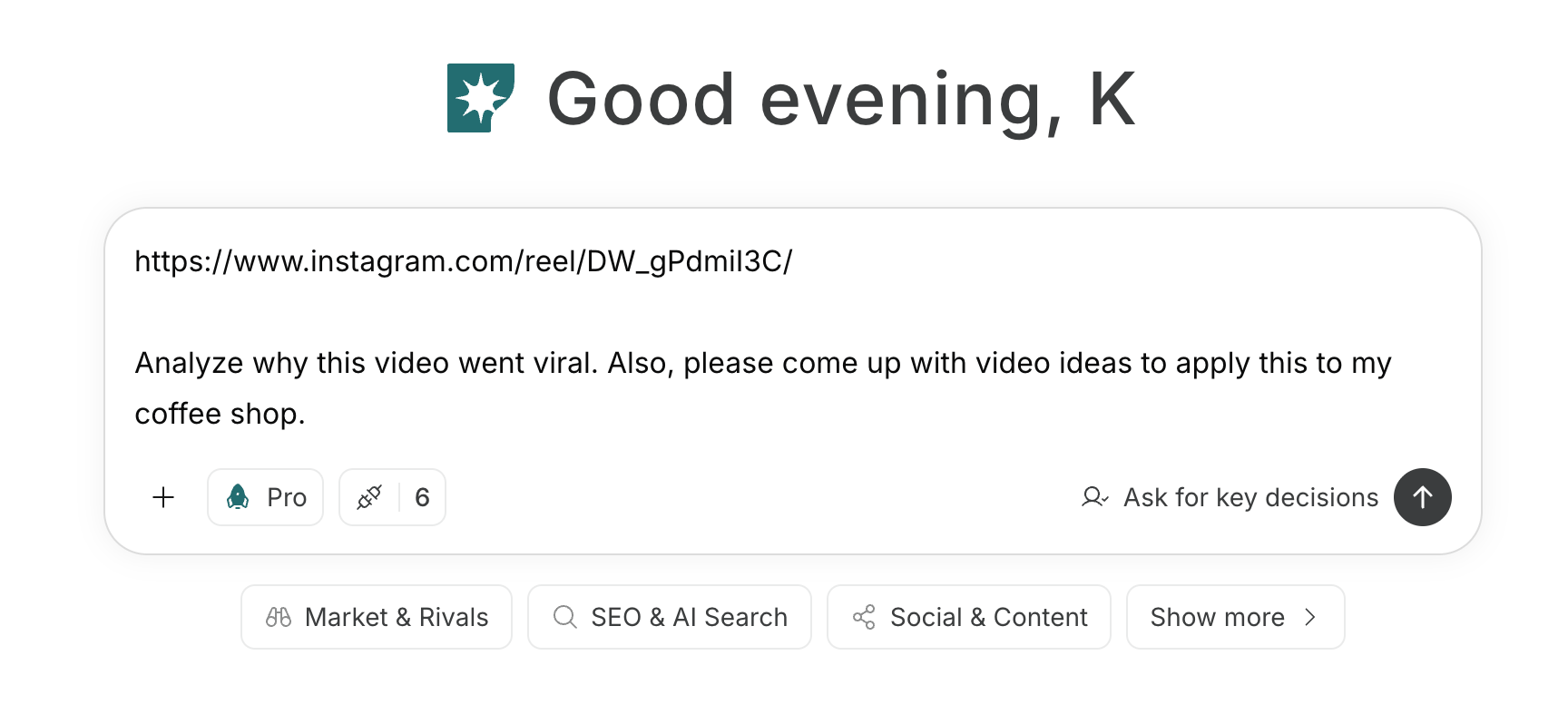
1. Choose social media platforms and define your content strategy
First, enter into the chat your target customers, area of expertise, achievements you can publish, and the content you can consistently provide. Have NoimosAI compare the characteristics and required formats of each social media platform, and decide which platforms to prioritize, your posting themes, and the next actions you want posts to prompt.Prompt for chat
2. Plan posts based on expertise and client results
Enter publishable questions, case studies, articles, research, events, and other materials, and create a one-month content plan. Using the information you provide, NoimosAI identifies the expertise to communicate, suitable platforms and formats, facts available for publication, and the path to a consultation. It should not invent client information or results; choose only plans supported by evidence you can publish.Prompt for chat
Analyze reference posts or videos
If you have content you want to use as a reference, enter the URL or file into the chat. Break down the reasons it attracted engagement and create new concepts using elements that can be applied to your target customers and expertise.Prompt for chat
Check public customer feedback as needed
If there are a significant number of public mentions of your company or service name, use social listening. If mentions are few, skip this setting and base ideas on frequently asked customer questions and existing content.Agent setup
Trigger: Schedule / Daily Instructions:3. Create and publish social media content
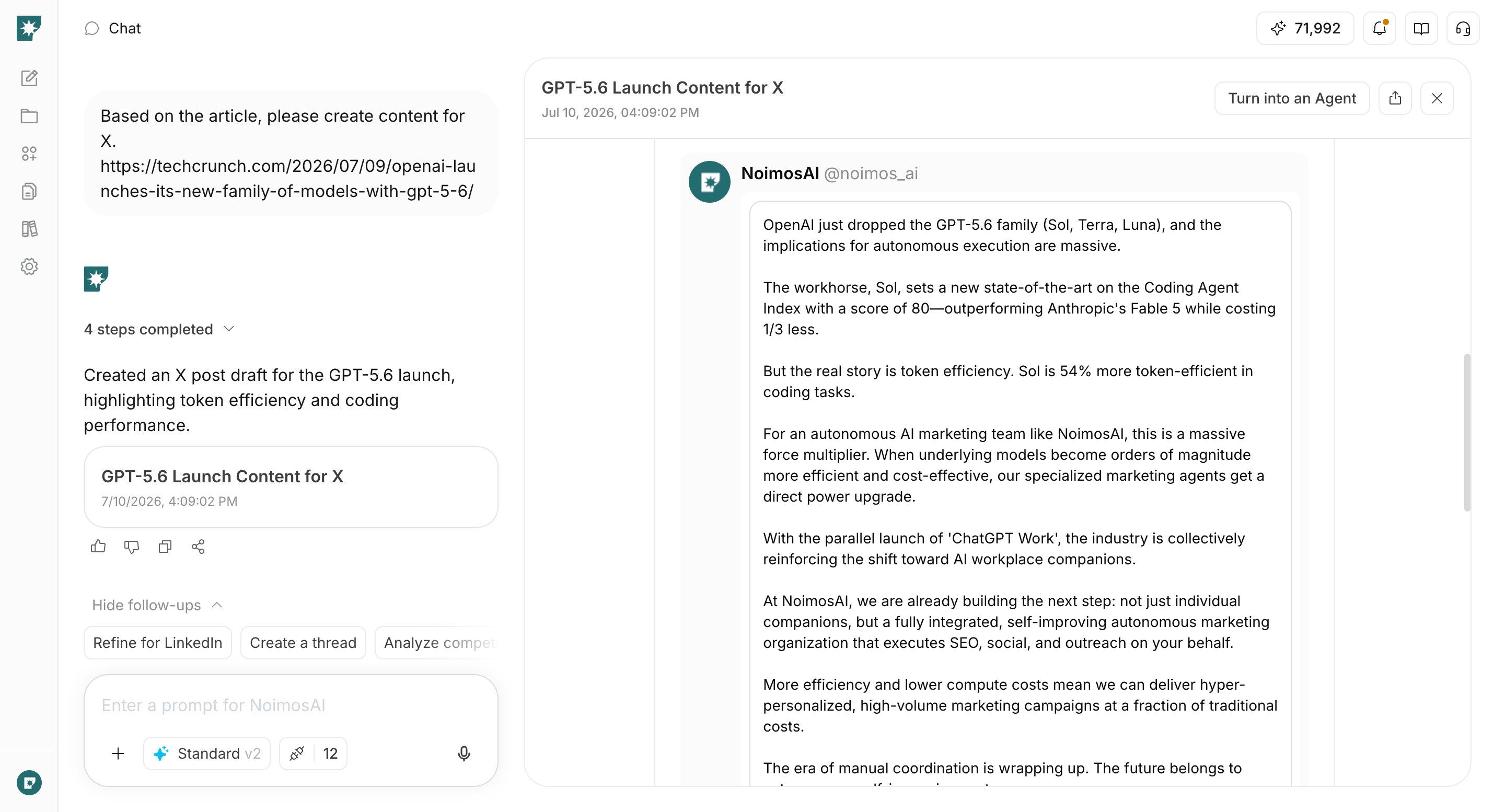
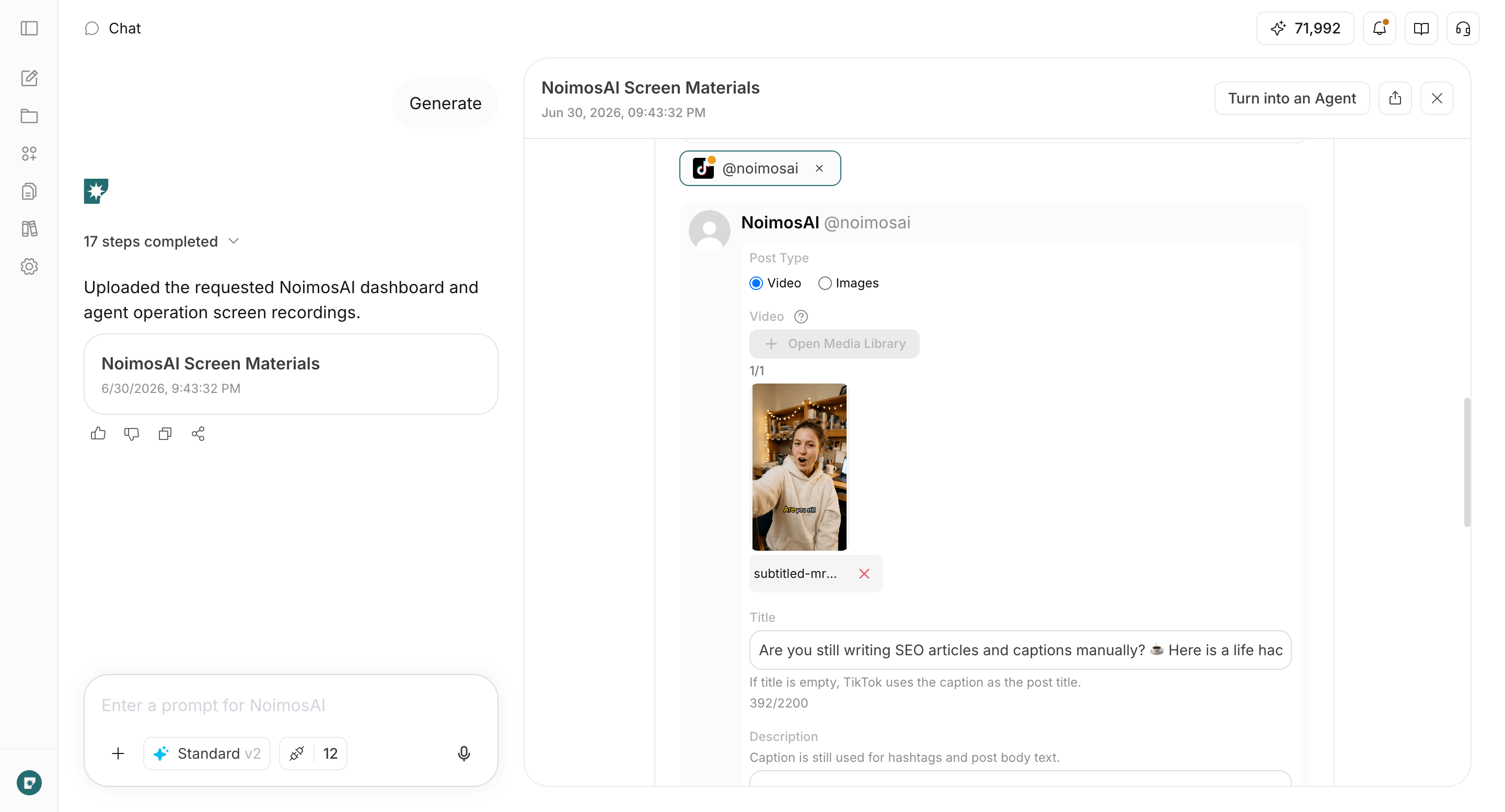
Turn your chosen campaign into finished content for the connected social media platforms. Specify the target customers’ problems and the expertise you want to communicate, and generate the post copy, image or video layout, alt text, and calls to action linking to articles, case studies, services, or contact options.Prompt for chat
4. Improve based on performance
After publishing, compare each month the high-performing posts and the posts that need improvement across social media platforms. Analyze differences in theme, format, opening, concrete examples, and calls to action, and create an agent that proposes campaigns to continue next month, campaigns to revise, and campaigns to stop.Agent setup
Trigger: Schedule / Monthly Instructions: