- Decide which social media platforms to use and set your content strategy
- Plan posts from your content themes and existing content
- Create and publish content suited to each social media platform
- Improve based on views, reactions, and ongoing touchpoints
Understand social media fundamentals
1. Choose social media platforms and define your content strategy
Select priority platforms based on where your target audience gets information, the formats that convey your message well, and the materials you can consistently produce. Choosing only by user count can leave you unable to sustain the required formats and make your themes harder to convey. The table below compares main formats for each platform and examples of how to use them for content distribution and community management. Start with platforms your audience uses and where you can consistently deliver your evidence and concrete examples.| Social media platform | Main formats | Uses for content distribution and community |
|---|---|---|
| X | Text, images, videos, threads | Short explanations, updates, article/video highlights, public conversations |
| Posts, images, videos, links, Pages | Long-form explanations, events, local or topic-based communities | |
| Images, carousels, Reels, Stories | Infographics, portfolios, short explanations, process reveals, answers to questions | |
| Threads | Text, images, videos, conversations | Ideas, short insights, dialogues with readers, article highlights |
| TikTok | Vertical short-form video | Demonstrations, short explanations, serialized content, Q&A |
| YouTube | Long-form video, Shorts, live | In-depth explanations, interviews, panels, courses, live streams |
| Image or video Pins | Infographics, portfolios, how-tos, ideas, organizing past content | |
| LinkedIn (Personal) | Professional posts, resources, videos | Expert viewpoints, research, professional learnings, articles and events |
| Mastodon | Text, images, videos | Information sharing and conversation within topic-specific communities |
| Bluesky | Text, images, videos, public conversations | Short insights, articles, updates, topic-based conversations |
 X
X Facebook
 Instagram
 Threads
 TikTok
 YouTube
 Pinterest
 LinkedIn (Personal)
 Mastodon
 Bluesky
2. Plan posts from your content themes and existing content
For planning, use expertise, experience, original research, questions from your audience, and past content. A single article, video, or audio piece can be expanded into concise takeaways, diagrams, short-form videos, or Q&A, but check that each excerpt stands on its own. Begin with real audience questions and the articles, videos, research, and activity records you already have. The table below shows how each source can become one post with a clear, self-contained point.
Don’t choose topics just because they’re topical; prioritize ideas where you can add facts or experience and deepen understanding of the content theme.
3. Create and publish content that works on social media platforms
Start by showing who will understand what up front, and make sure the key points come across within the social media platform itself. Use external links only when there is a reason to navigate away, such as detailed evidence, long procedures, or related series. When using quotes, images, videos, audio, or reader submissions, verify rights and permissions. Even when using the same campaign across multiple social media platforms, do not directly copy the text verbatim. On platforms focused on short text, present a single claim and a concrete example; on image-centered platforms, convey the subject and the result in the first image; in video, state up front what the viewer will learn after watching. If a long explanation is necessary, complete the key points within the post and then link to the original source.4. Improve based on reach, engagement, and repeat audience growth
Decide on one objective for a post before publishing and evaluate success using the metric that best matches that objective. The actions that constitute success differ between posts meant to increase impressions and posts meant to generate conversations or ongoing touchpoints. The following table maps the actions you want to increase with the metrics used to judge their success.
Because different social media platforms define metrics differently, do not directly compare engagement rates across platforms.
Read the metrics as a progression. If reach grows without completion or saves, strengthen the opening and make the post useful on its own. If people consume the post but do not follow or explore related work, clarify the recurring topic and next destination. If clicks increase without subscriptions or participation, review whether the destination explains the continuing value and terms clearly.
Match metrics to the post’s objective. Do not evaluate a post intended for awareness and a post intended to drive readers to detailed content using the same metric alone. First identify high-performing posts within each platform, then compare differences in target audience, theme, format, openings, and concrete examples.
Social media apps you can connect
NoimosAI connects to the social media platforms you use so you can create, publish, and analyze posts. Details for each integration are available for X, Facebook, Instagram, Threads, TikTok, YouTube, Pinterest, LinkedIn (Personal), Mastodon, and Bluesky.For Instagram, we recommend Instagram Login, which does not require configuring a Facebook Page or permissions. Check Instagram for differences in connection methods depending on the features you need.
Manage social media with NoimosAI
Choose the social media platforms to prioritize and define your content strategy. Then plan posts from existing content and audience questions, publish finished content for each platform, and use the results to improve the next planning cycle. For instructions on entering a prompt in chat, see Enter your own prompt.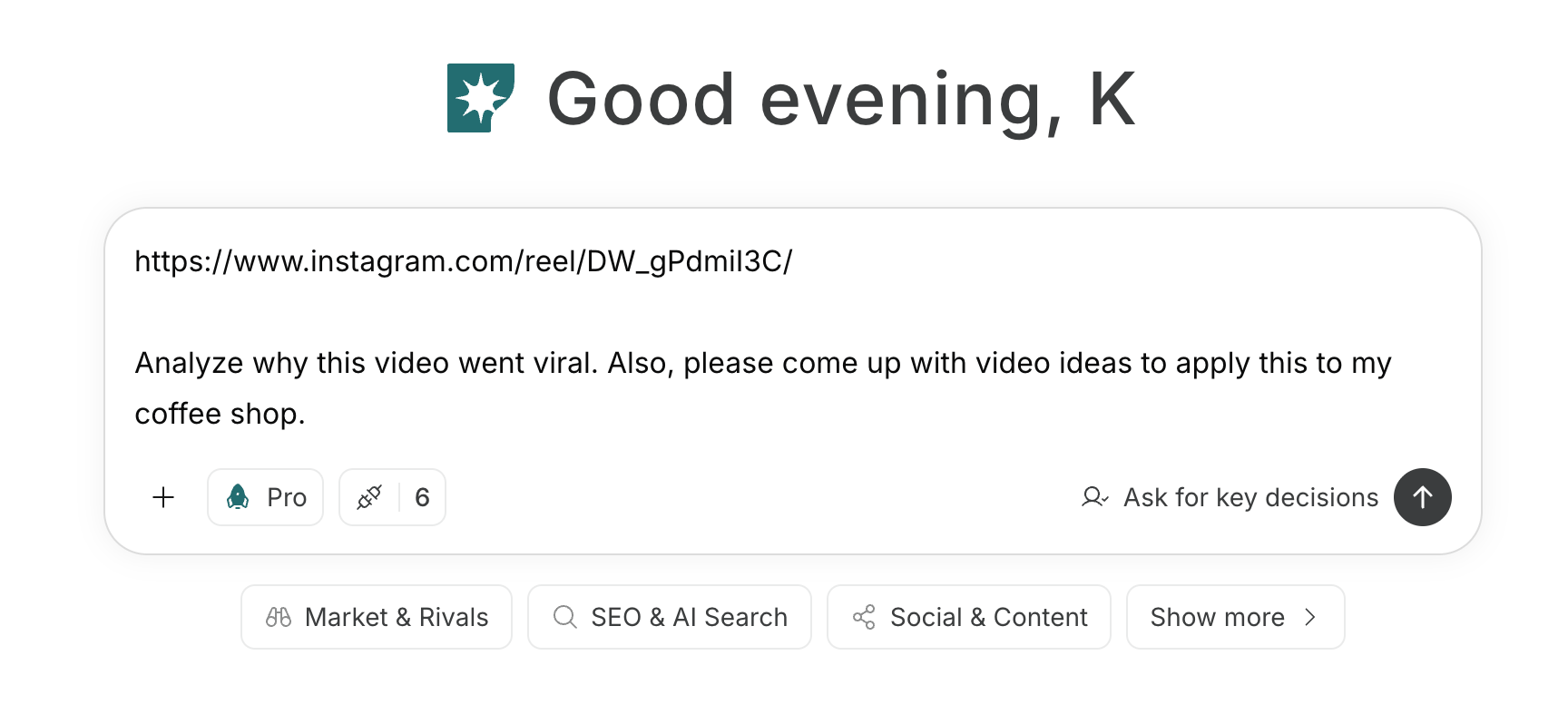
1. Choose social media platforms and define your content strategy
First, enter the target audience, content themes, your existing content, and the materials you can consistently provide into the chat. Have NoimosAI compare the characteristics and suitable formats of each social media platform, and determine the priority platforms, post themes, related content, and the calls-to-action for follows, subscriptions, or participation.Prompt for chat
2. Plan posts from topics and existing content
Enter existing articles, videos, audio, newsletters, and reader questions in chat. Ask NoimosAI to generate post ideas that answer distinct audience questions, identify the facts each idea will use, choose suitable platforms and formats, and state what value each post will provide without requiring a click.Prompt for chat
Analyze content to reference
If you have a post or video you want to reference, enter the URL or file into the chat. Have NoimosAI break down the reasons it drew engagement, and create new concepts that apply only the elements you can use for your target audience and your content theme.Prompt for chat
Review public reactions as needed
If there are a significant number of public mentions of your name, media name, or main topics, use social listening. If mentions are few, don’t force it—develop ideas from existing content and readers’ questions.Agent setup
Trigger: Schedule / Daily Instructions:3. Create and publish content optimized for social media platforms
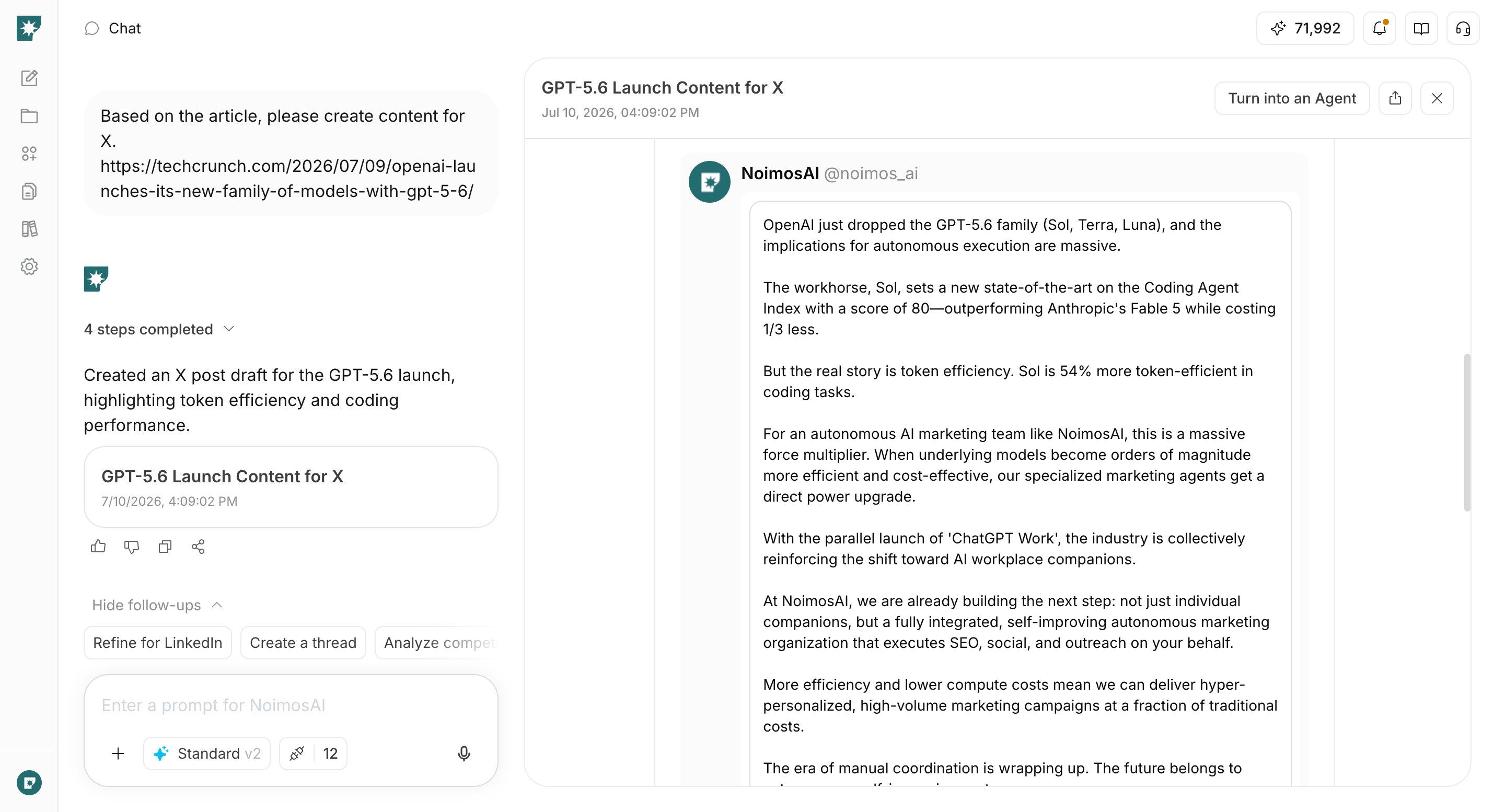
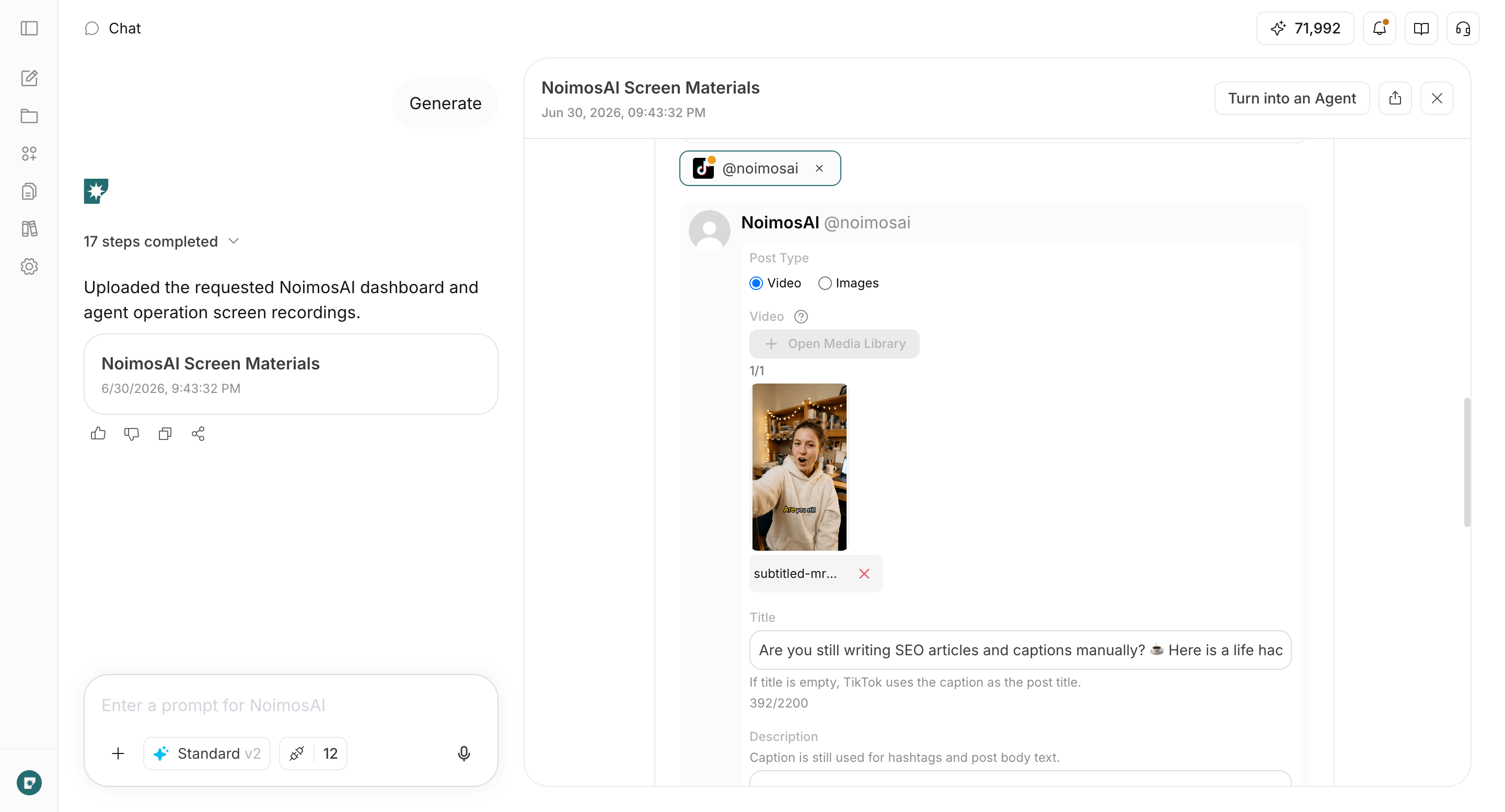
Enter the chosen campaign, facts, and assets into the chat to create finished content formatted for the target social media platform. This includes not only the post copy but also image or video composition, alt text, sources, related content, and calls to follow, subscribe, or participate.Prompt for chat
4. Improve based on views, engagement, and ongoing touchpoints
After publishing, compare high-performing posts and posts needing improvement within each social media platform every month. Analyze differences in target audience, themes, formats, openings, concrete examples, and calls to action, and create an agent that proposes what to continue, improve, or stop in the following month as well as new campaign ideas.Agent setup
Trigger: Schedule / Monthly Instructions: