

Overview
With NoimosAI, you can create and edit websites through chat, preview them, publish, manage domains, SEO/GEO, analytics, content creation, and more. By simply communicating your site’s purpose and your business via chat, a website optimized for SEO and GEO is built, and you can immediately publish it after purchasing or connecting a domain. Furthermore, since SEO/GEO and measurement settings are handled within the same website management screen, it’s not just about publishing but also facilitates attracting visitors and making improvements.What You Can Do
On your website, you can mainly perform the following tasks:- Create a website by conveying your purpose via chat
- Import an existing website and manage/improve it on NoimosAI
- Edit text, structure, design, CTAs, etc., via chat or code
- Check the display with preview
- Publish or update a published site
- Manage custom domains, SEO/GEO, analytics, and more
- Configure features like blogs, email, payments, knowledge base as needed
Where to Open Websites
Websites are opened from NoimosAI’s chat or library. The main access routes are as follows:- Request website creation via chat
- Open created websites from the library or elsewhere
- Open websites displayed within chat
Screen Layout
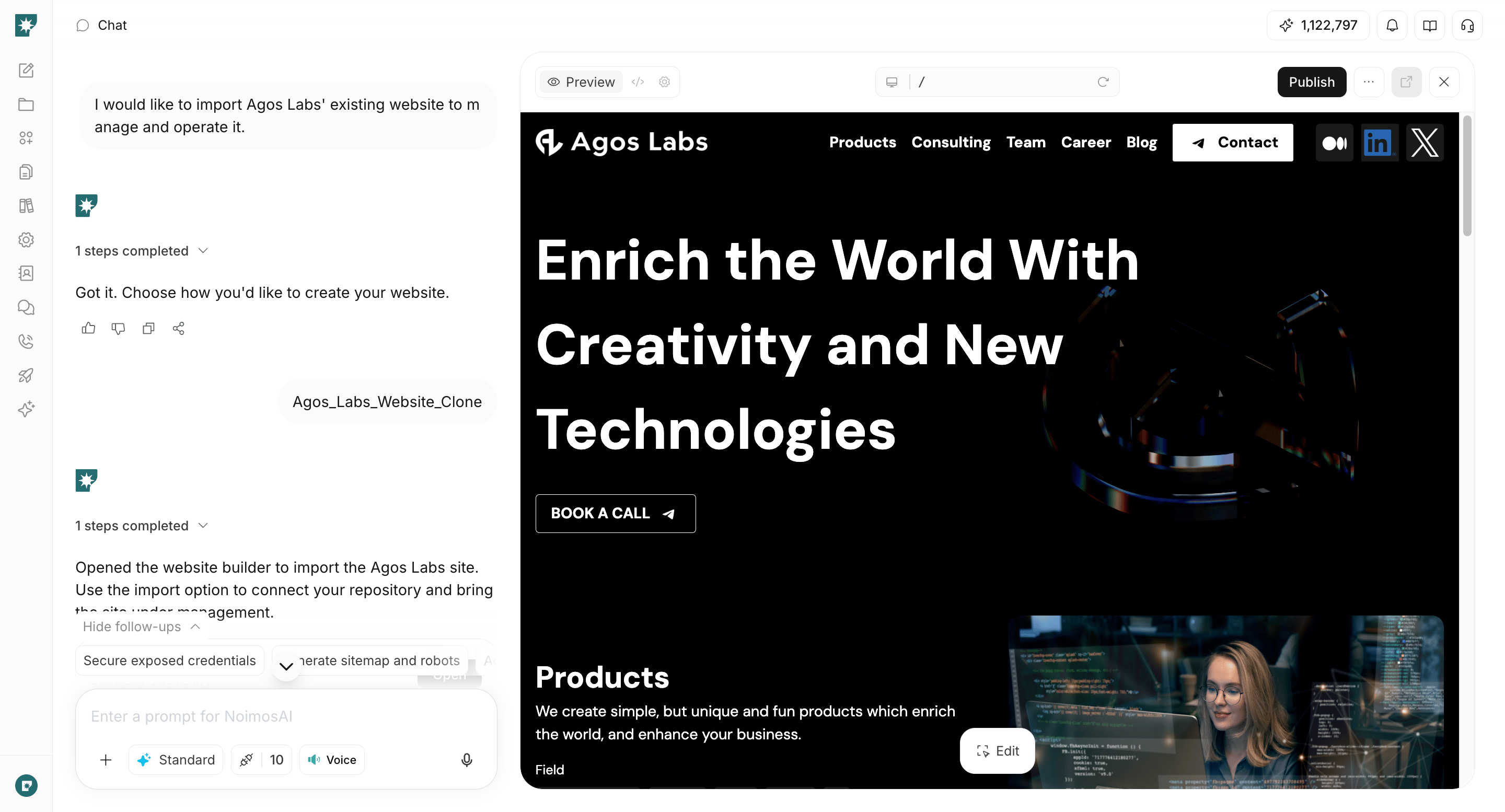
When you open a website, you use the following areas depending on the task:
Usually, you request via chat, check with preview, and publish or configure settings in the management screen as needed.
Basic Workflow
From website creation to publishing, proceed as follows:- Convey the purpose of the website you want to create via chat
- Check the generated website in preview
- Adjust text, structure, and design via chat or code
- Review necessary settings in the management screen
- Publish once the content is ready
- After publishing, issue improvement instructions via chat and publish updates as needed
Common Use Cases
- Quickly create service sites or landing pages
- Prepare existing websites to be editable and manageable on NoimosAI
- Improve messaging and CTAs on existing websites
- Organize site navigation connected to SEO articles or blogs
- Manage settings for AI search and search engines together
- Proceed with analysis and improvements after publishing in the same place