

Short Answer
Go toTeam -> Billing -> Usage, then open Plan Details and click Cancel subscription.
Step-by-Step
- Open Team Billing Usage.
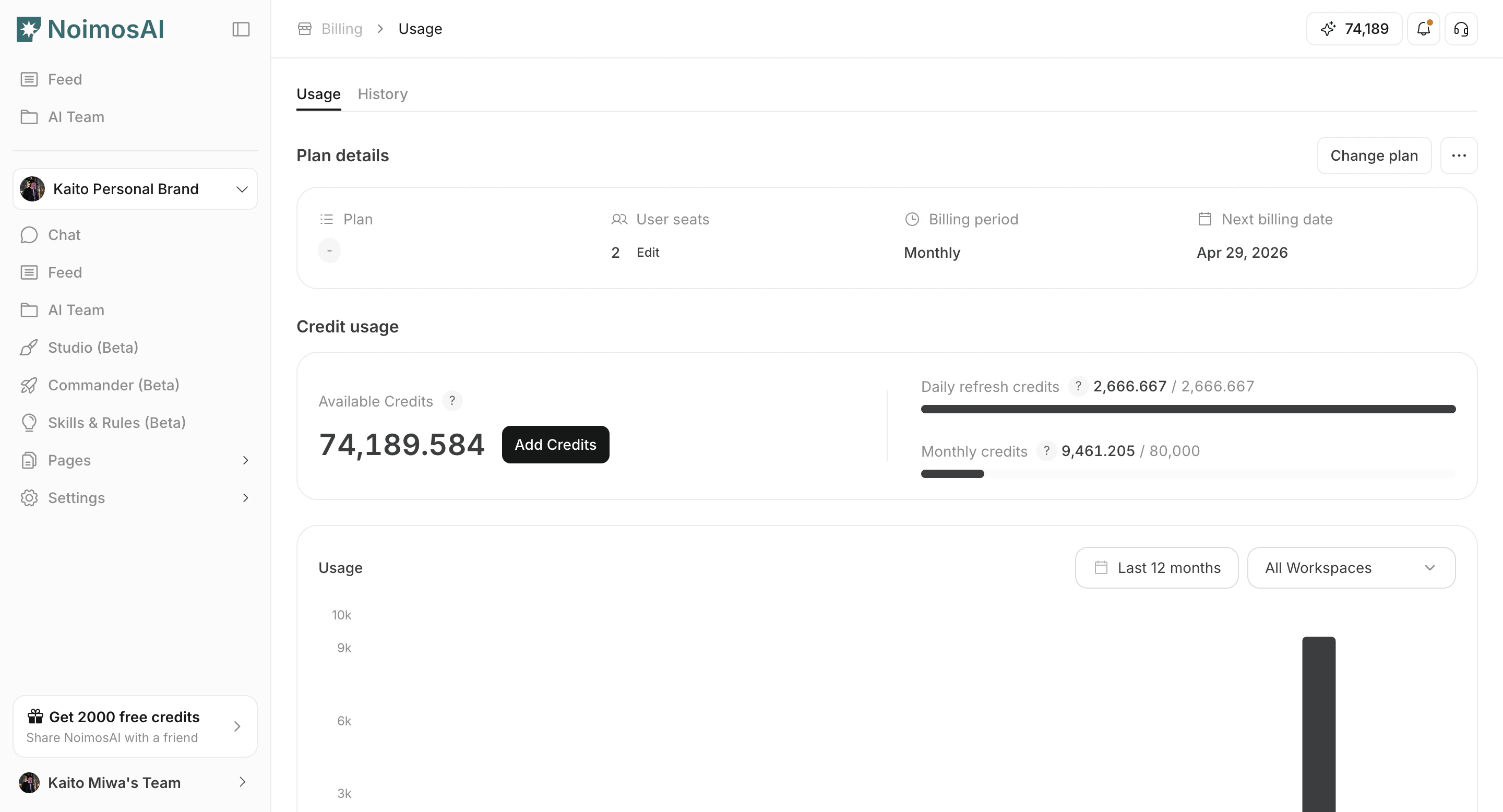
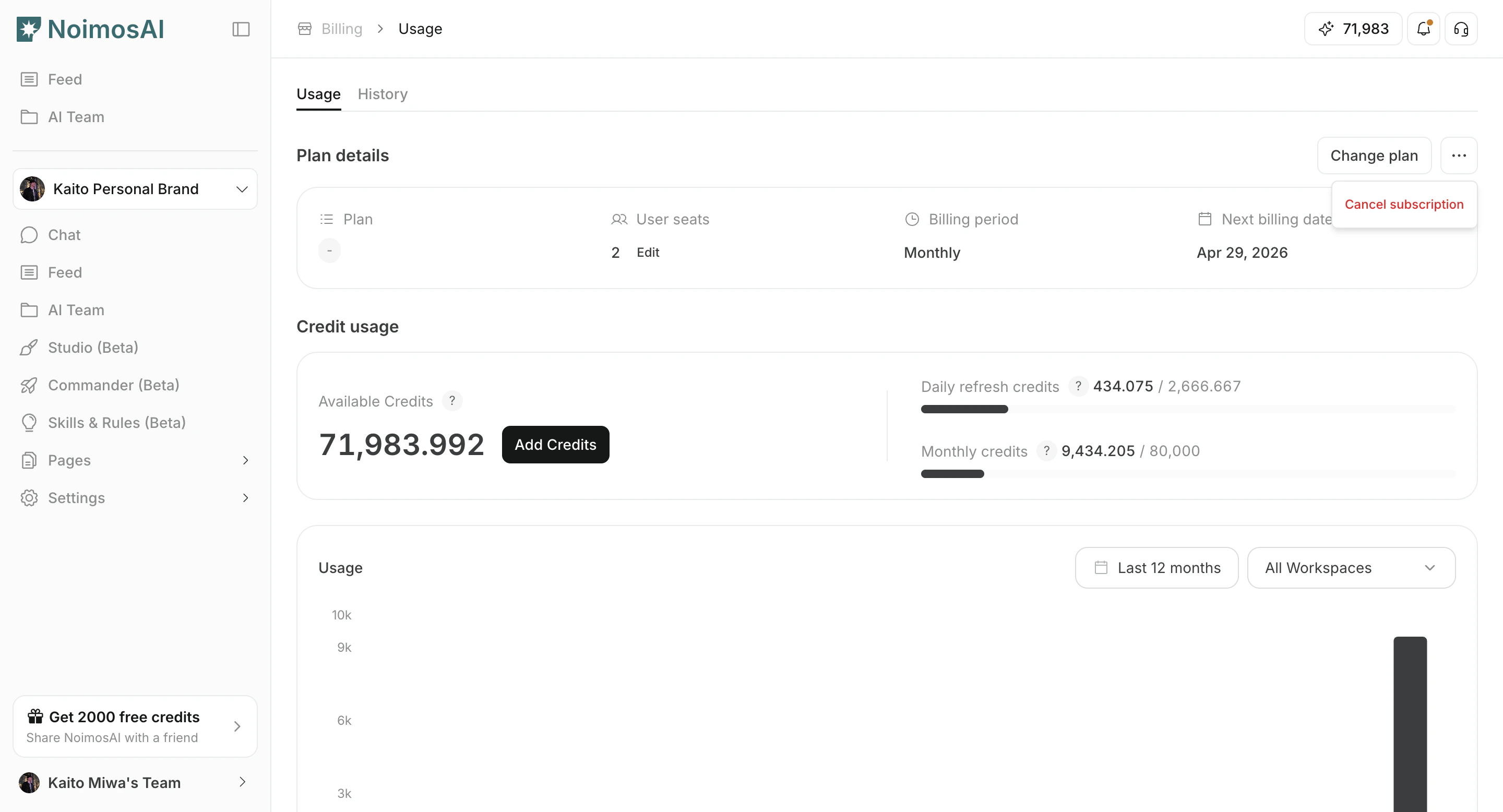
- In Plan Details, start cancellation.
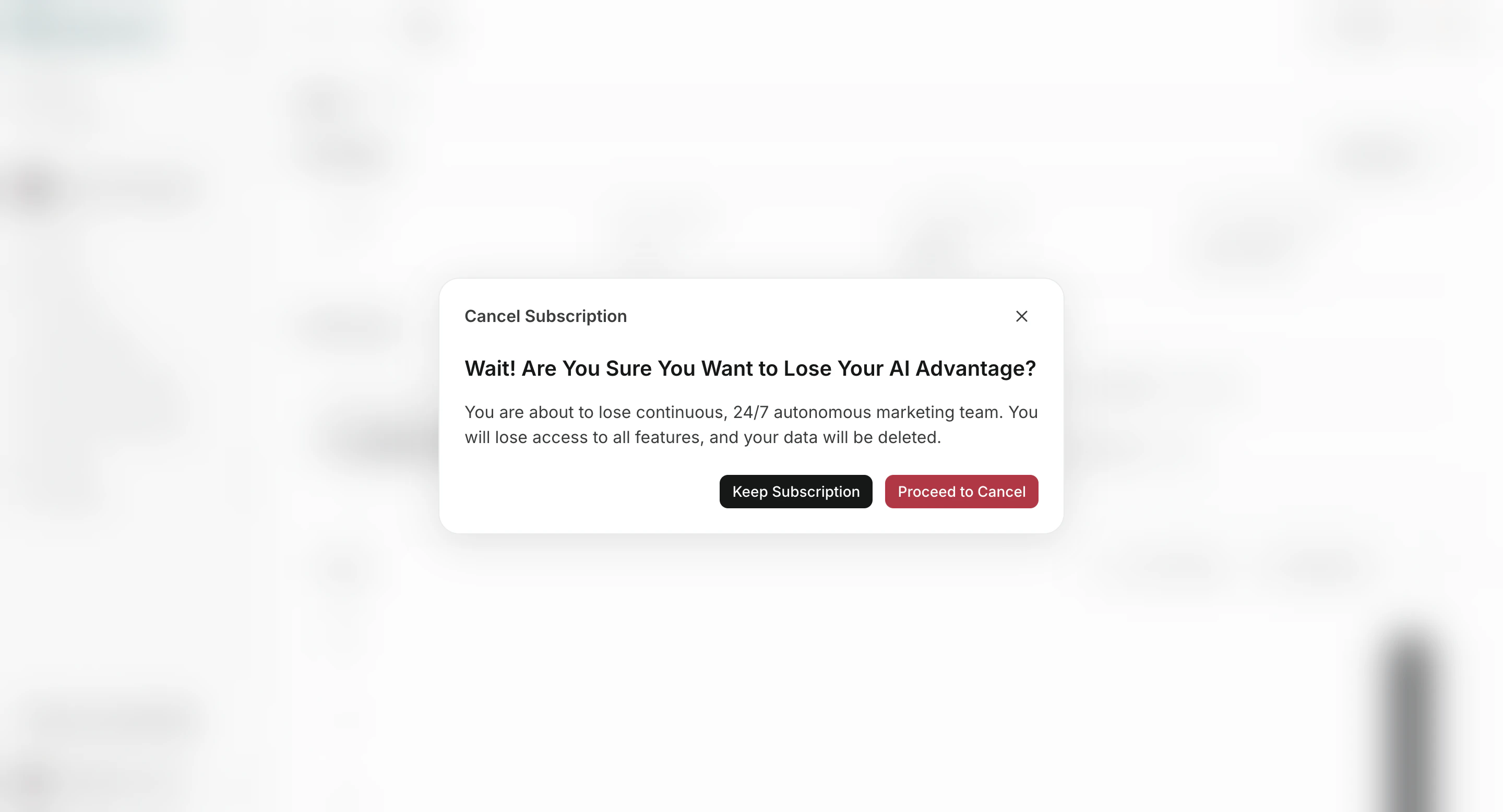
- Review the confirmation text and finish cancellation.
After You Cancel
- If your subscription is active, cancellation is usually scheduled for the end of the billing period.
- If your subscription is trialing or payment-failed, cancellation can be immediate.
- You can verify status in
Billing -> Usage.