

Short Answer
Go toTeam -> Billing -> Usage, then cancel from Plan Details.
Step-by-Step
- Open Billing Usage.
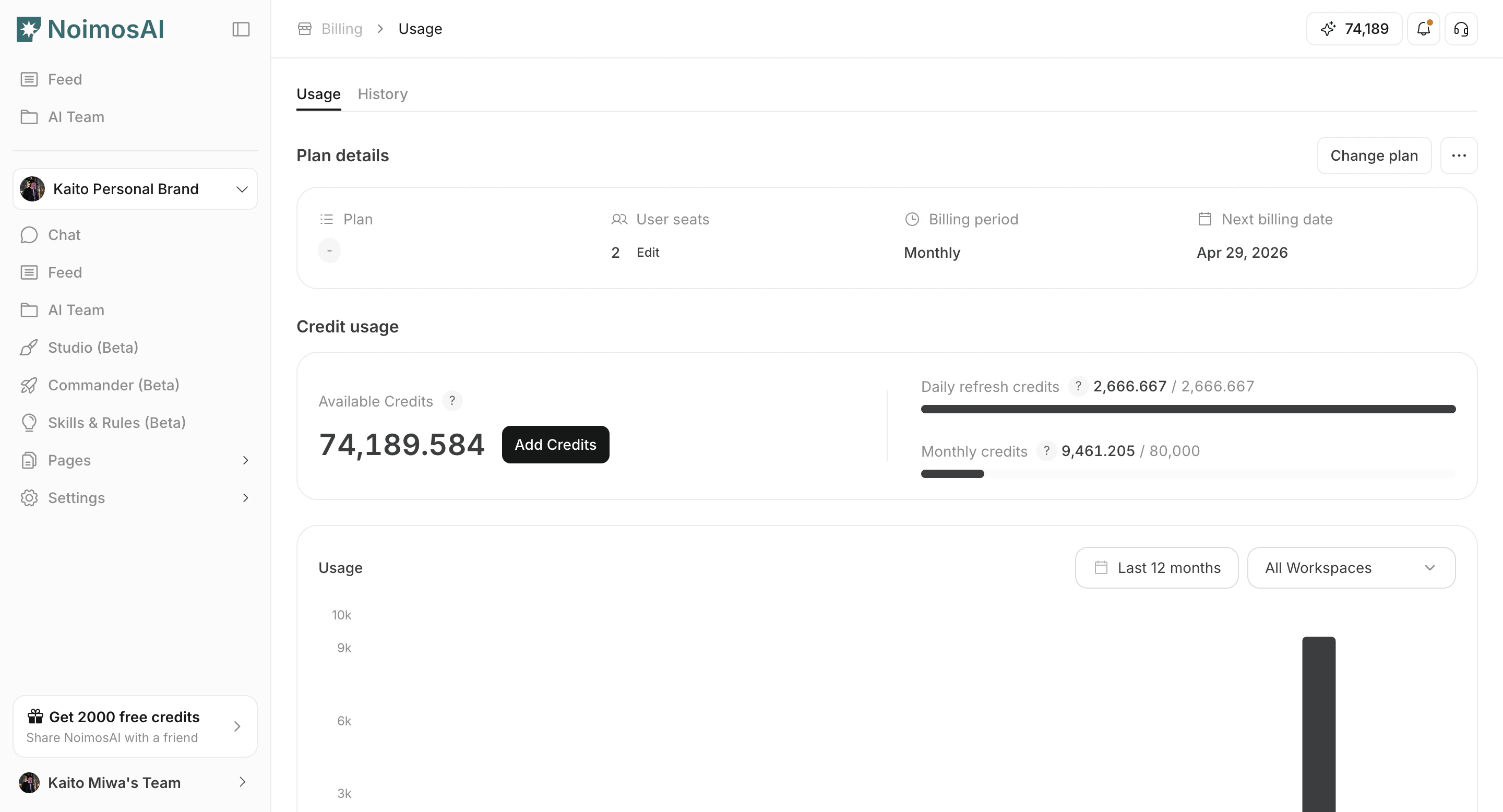
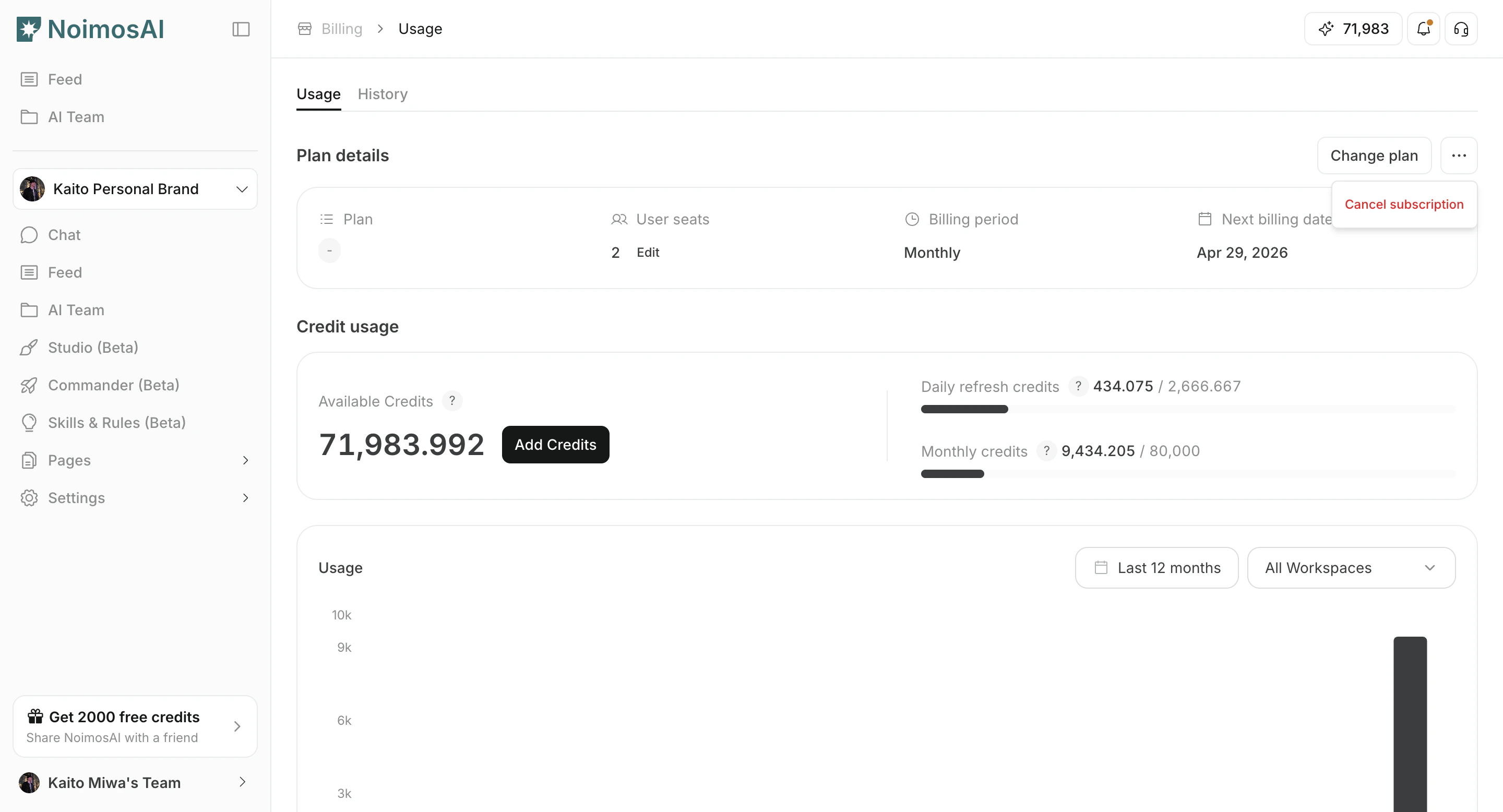
- Click
Cancel subscriptionin Plan Details.
- Complete the confirmation flow.
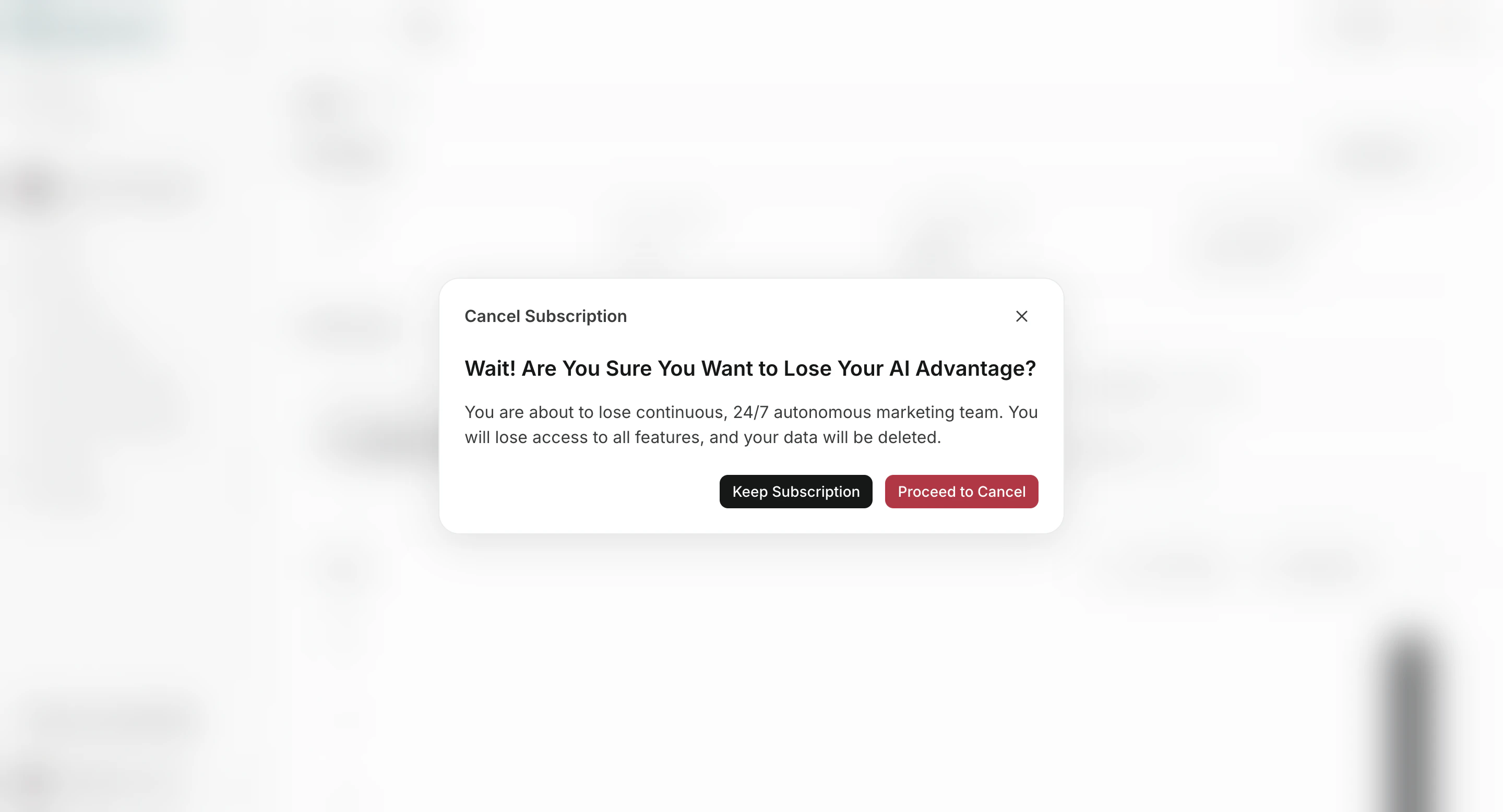
What Happens Next
- Active paid subscriptions are typically set to cancel at period end.
- Trialing or payment-failed subscriptions can cancel immediately.
- The cancellation notice indicates personalized data and Knowledge Base setup are deleted after 30 days.